Understanding Health Checks
Health Checker for Joomla provides comprehensive monitoring across 8+ categories, with 129 built-in checks designed to identify potential issues before they become problems.
What Are Health Checks?
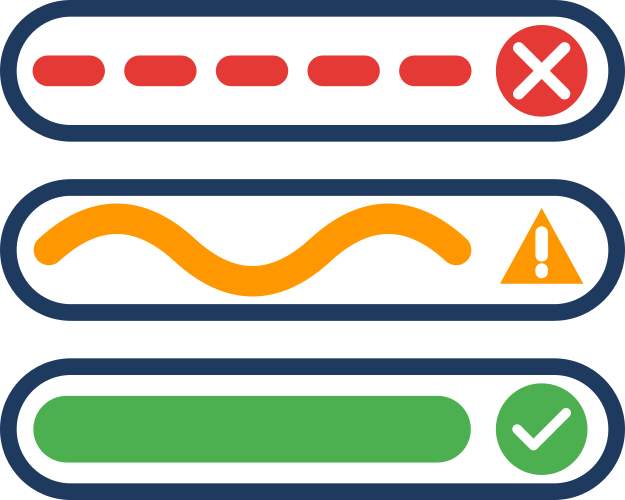
Health checks are automated tests that examine different aspects of your Joomla site to ensure everything is configured correctly and functioning optimally. Each check evaluates a specific aspect of your site and returns one of three statuses:
Status Levels
- 🟢 Good: Everything is optimal. No action needed.
- 🟡 Warning: Should be addressed, but your site is still functional. Plan to fix these soon.
- 🔴 Critical: Immediate attention required. Your site may be broken, severely compromised, or at risk of data loss.
Check Categories
Health Checker organizes checks into 8 logical categories:
System & Hosting
Checks your PHP version, server configuration, file permissions, disk space, and other hosting-related settings. These form the foundation of a healthy Joomla site.
Example checks:
- PHP version compatibility
- Required PHP extensions
- File upload limits
- Disk space availability
Database
Monitors your database health, table structure, character encoding, and query performance. Database issues can cause site errors or data corruption.
Example checks:
- Database connection health
- Table prefix security
- Character set configuration
- Database size and optimization
Security
Evaluates security settings, SSL configuration, user permissions, and protection against common vulnerabilities. Critical for protecting your site and user data.
Example checks:
- HTTPS enforcement
- Admin panel protection
- User password policies
- File permission security
Users
Examines user accounts, authentication settings, and access control. Helps identify security risks related to user management.
Example checks:
- Super admin accounts
- Inactive users
- Password strength requirements
- Two-factor authentication status
Extensions
Reviews installed extensions, update status, and compatibility. Outdated or incompatible extensions are a common source of security vulnerabilities.
Example checks:
- Extension update availability
- Joomla core version
- Extension compatibility
- Orphaned extensions
Performance
Analyzes caching configuration, optimization settings, and resource usage. Poor performance affects user experience and SEO.
Example checks:
- Page caching status
- GZip compression
- Image optimization
- Database query performance
SEO
Checks search engine optimization settings, URL configuration, and metadata. Proper SEO configuration helps search engines index your content effectively.
Example checks:
- Search engine friendly URLs
- Robots.txt configuration
- XML sitemap availability
- Metadata completeness
Content Quality
Evaluates content health, broken links, duplicate content, and accessibility. Quality content is essential for user engagement and SEO.
Example checks:
- Broken internal links
- Duplicate article titles
- Empty articles
- Accessibility features
Check Providers
Health checks can come from different providers:
Core Provider
The built-in provider that ships with Health Checker. Includes 129 checks across the 8 categories.
Third-Party Providers
Extension developers can create plugins to add custom checks. Each provider is clearly attributed in the results so you know where each check comes from.
Current integrations:
- Akeeba Backup (optional)
- Akeeba Admin Tools (optional)
How Checks Work
- Manual Execution: You initiate health checks by clicking the "Run Health Check" button
- Parallel Processing: Checks run simultaneously for faster results
- Session Storage: Results are stored in your session only (no database tables)
- Instant Results: See findings immediately as checks complete
- Actionable Guidance: Each result includes details about what was found and why it matters
Next Steps
- Running Health Checks - Learn how to execute and manage checks
- Reading Results - Interpret findings and understand what actions to take
- Checks Reference - Detailed documentation for all checks