Database Checks
Database checks monitor your database health, table structure, character encoding, and query performance. Database issues can cause site errors or data corruption.
Total checks in this category: 18
Connection & Server (4 checks)
Database Connection
Verifies database connectivity.
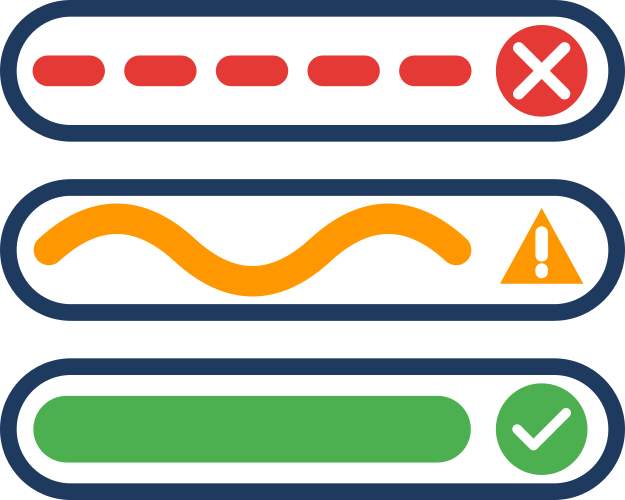
- Good: Connection successful
- Critical: Connection failed
Why it matters: No database connection means your site is completely broken.
Common causes:
- Incorrect database credentials
- Database server down
- Firewall blocking connection
- Exceeded connection limits
Database Server Version
Checks database version compatibility.
- Good: MySQL 8.0+ or MariaDB 10.4+
- Warning: Below recommended versions
- Critical: Below minimum supported versions
Why it matters: Older database versions lack security patches and performance improvements.
Database User Privileges
Verifies user has necessary permissions.
- Good: All required privileges present
- Warning: Missing recommended privileges
- Critical: Missing essential privileges (SELECT, INSERT, UPDATE, DELETE)
Why it matters: Insufficient privileges prevent updates, backups, and normal operations.
Required privileges:
- SELECT, INSERT, UPDATE, DELETE (essential)
- CREATE, DROP, ALTER (for updates)
- INDEX, CREATE TEMPORARY TABLES (for performance)
Connection Charset
Checks database connection character set.
- Good: utf8mb4
- Warning: utf8
- Critical: Other charsets
Why it matters: utf8mb4 supports full Unicode including emojis and special characters.
Table Health (5 checks)
Table Engine Consistency
Verifies all tables use InnoDB.
- Good: All tables use InnoDB
- Warning: Some tables use MyISAM
- Critical: Core tables use MyISAM
Why it matters: InnoDB provides transactions, crash recovery, and better performance.
How to fix:
ALTER TABLE tablename ENGINE=InnoDB;Table Charset/Collation
Checks table character encoding.
- Good: All tables use utf8mb4_unicode_ci
- Warning: Some tables use utf8mb4_general_ci
- Critical: Tables using latin1 or other charsets
Why it matters: Consistent charset prevents data corruption and encoding issues.
Table Status
Scans for corrupted tables.
- Good: No corruption detected
- Critical: Corruption found
Why it matters: Corrupted tables cause errors, data loss, and site crashes.
How to fix:
REPAIR TABLE tablename;Or use phpMyAdmin's repair function.
Auto-increment Headroom
Checks if auto-increment values are approaching limits.
- Good: Below 80% of maximum
- Warning: 80-95% of maximum
- Critical: Above 95% of maximum
Why it matters: Reaching the limit prevents new records from being created.
How to fix:
- For INT columns: Change to BIGINT
- Clean up old/unused records
- Archive historical data
Orphaned Tables Detection
Identifies tables not belonging to any extension.
- Good: No orphaned tables
- Warning: Orphaned tables found
Why it matters: Orphaned tables waste space and may indicate incomplete uninstallations.
How to handle:
- Identify which extension created them
- If extension is uninstalled, safe to delete
- Back up first before deleting
- Use phpMyAdmin or SQL to drop tables
Database Configuration (4 checks)
SQL Mode Compatibility
Checks MySQL/MariaDB SQL mode settings.
- Good: Compatible SQL mode
- Warning: Potentially problematic modes enabled
Why it matters: Strict SQL modes can break poorly-written extensions.
Common issues:
STRICT_TRANS_TABLES- Rejects invalid dataONLY_FULL_GROUP_BY- Requires proper GROUP BY clausesNO_ZERO_DATE- Disallows '0000-00-00' dates
Max Allowed Packet
Verifies maximum packet size.
- Good: 16MB or higher
- Warning: 8-16MB
- Critical: Below 8MB
Why it matters: Small packet size prevents large INSERT/UPDATE queries.
How to fix:
[mysqld]
max_allowed_packet=32M
Wait Timeout
Checks connection timeout setting.
- Good: 300 seconds or more
- Warning: Below 300 seconds
Why it matters: Short timeouts cause "MySQL server has gone away" errors during long operations.
Table Prefix Set
Verifies database table prefix is configured.
- Good: Custom prefix (not
jos_) - Warning: Using default
jos_prefix
Why it matters: Custom prefixes make SQL injection attacks harder.
Common Issues & Solutions
Connection Failures
Symptoms: "Error establishing database connection"
Solutions:
- Check
configuration.phpfor correct credentials - Verify database server is running
- Check firewall rules
- Verify database user exists and has permissions
- Check connection limits (
max_connections)
Character Encoding Issues
Symptoms: Garbled text, question marks, broken emojis
Solutions:
- Convert database to utf8mb4:sql
ALTER DATABASE dbname CHARACTER SET utf8mb4 COLLATE utf8mb4_unicode_ci; - Convert tables to utf8mb4:sql
ALTER TABLE tablename CONVERT TO CHARACTER SET utf8mb4 COLLATE utf8mb4_unicode_ci; - Update
configuration.php:phppublic $dbtype = 'mysqli'; public $dbprefix = 'xyz_';
Table Corruption
Symptoms: Database errors, missing data, crashes
Solutions:
- Identify corrupted tables:sql
CHECK TABLE tablename; - Repair corrupted tables:sql
REPAIR TABLE tablename; - If repair fails, restore from backup
- Investigate cause (disk full, crashes, hardware issues)
Performance Problems
Symptoms: Slow queries, timeouts
Solutions:
- Optimize tables:sql
OPTIMIZE TABLE tablename; - Add missing indexes (check slow query log)
- Increase database server resources
- Enable query cache (if available)
- Consider read replicas for high traffic
Orphaned Tables
Symptoms: Unknown tables in database
Solutions:
- Identify table purpose:sql
SHOW CREATE TABLE tablename; - Search for extension that created it
- Backup before deletion:bash
mysqldump -u user -p dbname tablename > backup.sql - Drop if confirmed orphaned:sql
DROP TABLE tablename;
Database Maintenance Tips
Regular Backups
- Daily automated backups
- Test restoration procedures
- Store backups off-site
- Keep multiple versions
Monitoring
- Watch table growth rates
- Monitor slow queries
- Check error logs
- Track connection counts
Optimization
- Run OPTIMIZE TABLE monthly
- Review and add indexes
- Archive old data
- Clean up orphaned records
Security
- Use strong database passwords
- Restrict database user permissions
- Change default table prefix
- Keep database server updated
- Disable remote access if not needed
Next Steps
- Security Checks - Evaluate security settings
- Performance Checks - Optimize database performance
- System Checks - Review hosting environment